
GyroTach
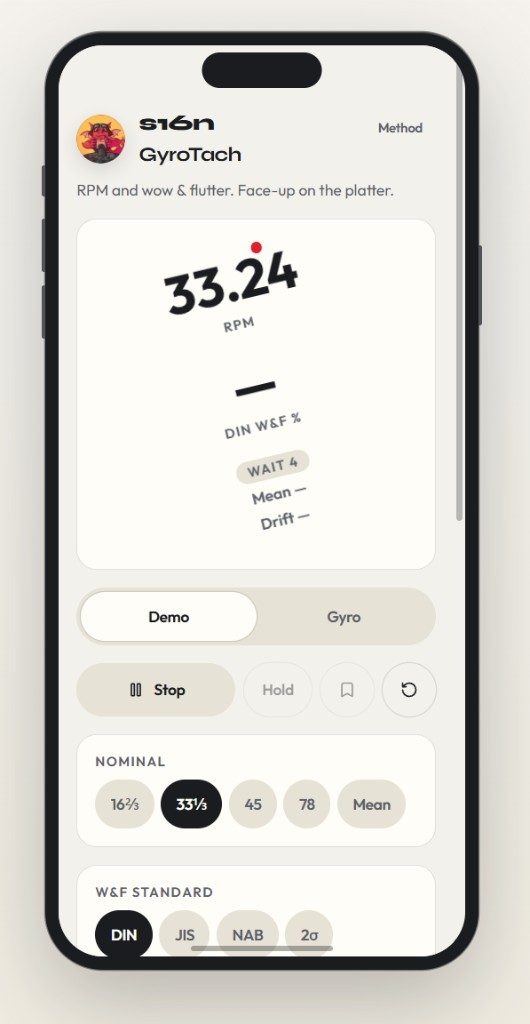
A MEMS tachometer for turntables: place the phone face-up on the platter to measure RPM and wow & flutter. Supports common speeds (16⅔, 33⅓, 45, 78) and DIN / JIS / NAB / 2σ standards.
Limitations of MEMS sensors
GyroTach reads the gyroscope in your phone. That gyroscope is a MEMS (micro-electromechanical) sensor, and every MEMS sensor has physical limits. They come from the hardware, not from the app, so they apply to every phone-based RPM or wow & flutter app, GyroTach included. Please read them before you trust a number.
Wow & flutter is where it matters most
Wow & flutter is a tiny, fast variation in speed. A figure like 0.05% on a good turntable means the platter speed changes by only a few hundredths of a percent, many times a second. That is a very demanding thing to measure with a phone sensor:
- Noise floor. Consumer MEMS gyroscopes have noise and drift. At a few hundred degrees per second of platter rotation, a variation of 0.05% to 0.1% can be close to the noise of the sensor itself. A phone can’t tell you whether a very good deck is excellent or merely good.
-
Sample rate and timing. Phones deliver sensor readings at a limited rate, and the timing of those readings is not perfectly even. GyroTach runs in the browser, and the browser sets the rate: it is built around 60 readings per second and uses the rate your phone actually delivers. A native app can do somewhat better, because the phone’s motion framework typically delivers gyroscope readings at up to about 100 per second, though still well below the rate the sensor chip uses internally. At 60 per second nothing above 30 Hz can be captured, and at 100 per second the ceiling is 50 Hz. Flutter extends to around 200 Hz in the standards, so either way the top of the band is not seen. Uneven timing also adds apparent variation that isn’t there.
Going from 60 to 100 readings per second that may be available in a native app would help, but only modestly. The DIN and JIS weighting centres on 4 Hz and falls away above it, so content between 30 and 50 Hz contributes little to those figures. It matters more for the unweighted NAB and 2σ figures, which count everything that is captured. Either way, the sensor’s noise floor, not the sample rate, remains the main limit on how small a variation can be resolved. Content above the ceiling is either filtered out by the sensor or folded back in as false lower-frequency variation, depending on the sensor.
- The weighting is an approximation. The DIN and JIS figures use a 4 Hz weighting filter. GyroTach implements it as a single second-order band-pass filter, which approximates the weighting curve in the standards rather than reproducing it exactly. The DIN and JIS numbers follow the method of those standards, but they are not certified measurements.
- Absolute accuracy. Offsets and scale errors in the sensor mean the absolute RPM can be off by a fraction of a percent. Variation around the average is less affected, but you still can’t claim a precise speed from it.
- The phone itself is a load. A phone sitting on the platter adds mass, can sit slightly off-centre, and changes the load on the motor and bearing. That can change the very thing you are measuring.
- It measures the platter, not the record. A tachometer on the platter sees only the platter’s rotation. It doesn’t see an off-centre hole, a warped record, or anything the stylus and tonearm do in the groove, all of which you can hear as wow & flutter.
What this means
Use GyroTach to check that a turntable runs at the right speed, to see whether speed is steady, and to compare before and after an adjustment, such as a new belt or a different surface. Treat the wow & flutter result as an indication, not a lab measurement. Don’t compare it to the figures on a manufacturer’s spec sheet, which are measured with a test record and dedicated equipment.
This is true of every app that does this with a phone’s MEMS sensors. If an app presents its wow & flutter figures as precise or equivalent to a proper meter and doesn’t tell you about these limitations, it is not being honest with you.
For a measurement you can compare to a spec sheet
Play a 3150 Hz test tone and measure it with an audio-based meter. That measures what the stylus actually reads, including the record and the whole playback chain. The wow & flutter meter in Audio Lab does this from a USB line-in.
Was this page useful?